
 Polski
 English
 Čeština
 Deutsch
 Français
 Italiano
 日本語
 한국어
 Nederlands
 Русский
 Українська

Mac
macOS 15 or later, Apple Silicon and Intel
An app with agents, teams and files. Drag it to the Applications folder and open it. It updates itself.
39 MB, signed and notarized by Apple
Connect your ChatGPT, Claude or Gemini plan, an API key or a model on your computer. One agent plans, another writes the code, a third checks it. When a plan hits its limit, the same chat carries on with the next one. No new subscription, and the code is open.
Works with the plans you already have:
 LopusDomaAI
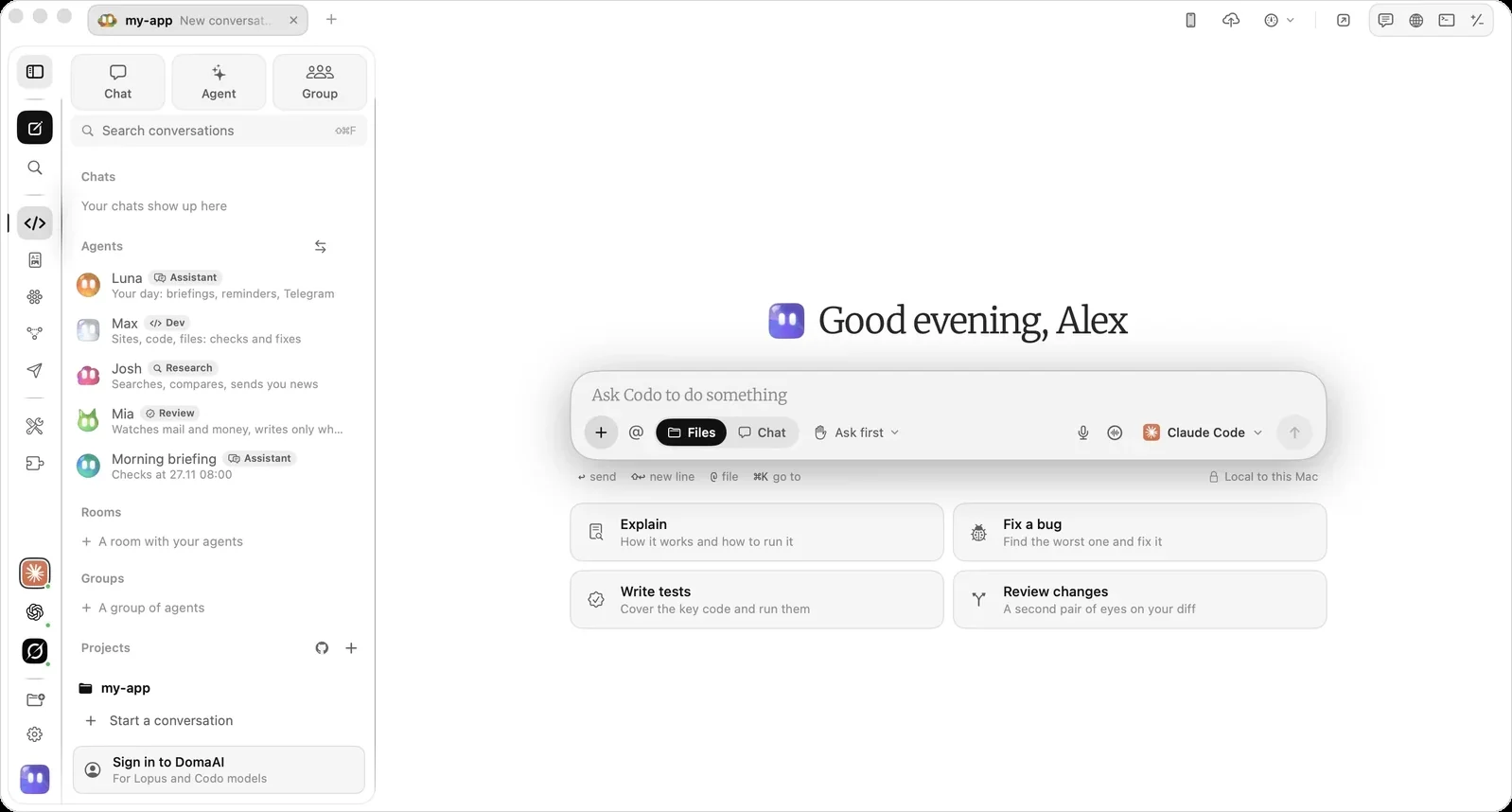
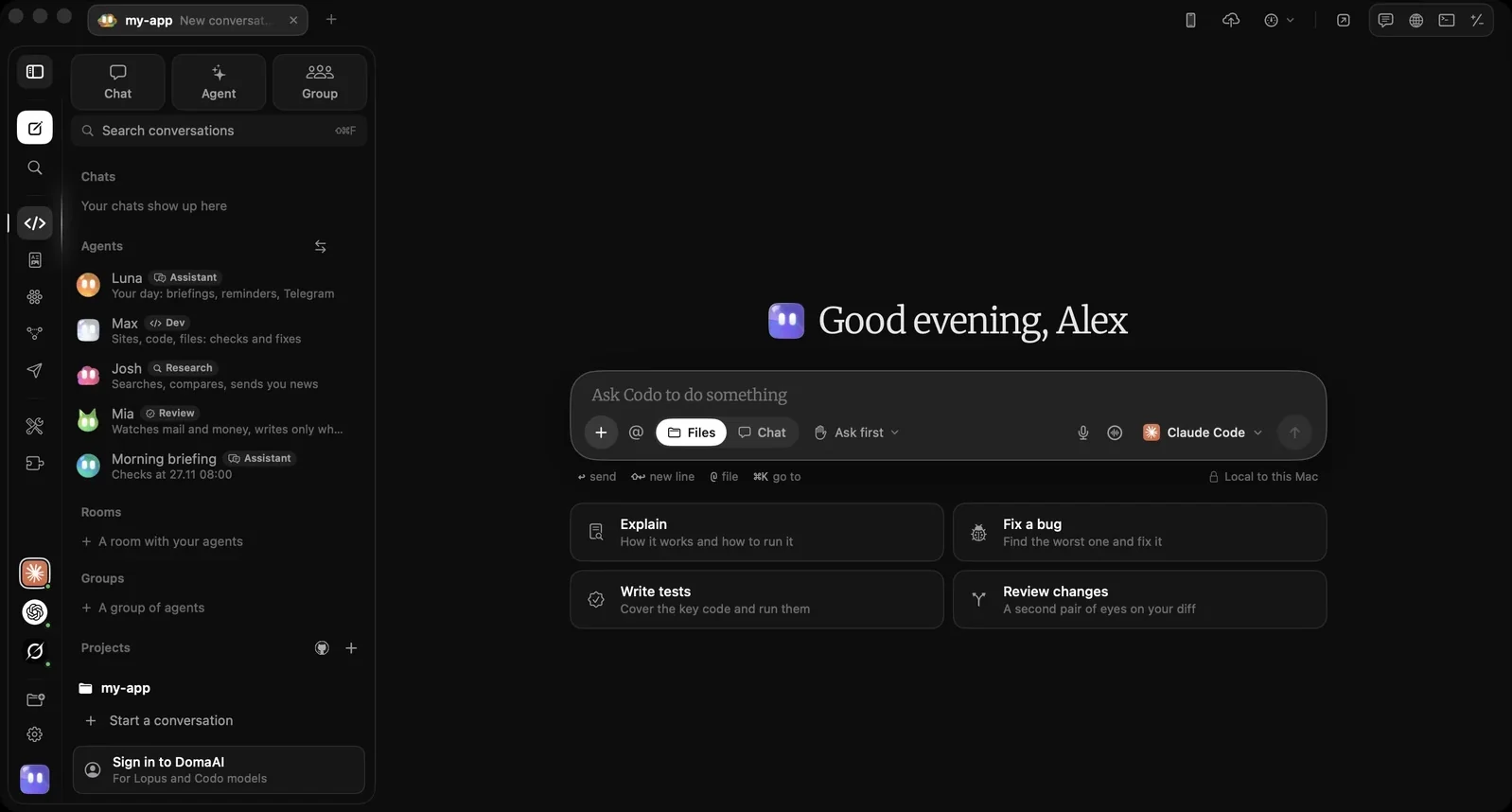
No mockups: this is what working in the app on your computer looks like.
On every system it is a full app in its own window, with agents, groups and automations. On Windows the installer adds Codo and Codo Terminal to the Start menu, on Linux the window opens with the command codo ui. The code is open on GitHub.
macOS 15 or later, Apple Silicon and Intel
An app with agents, teams and files. Drag it to the Applications folder and open it. It updates itself.
39 MB, signed and notarized by Apple
Windows 10 and 11, 64-bit
The installer adds Codo, the app in its own window, and Codo Terminal to the Start menu. Updates install themselves.
If SmartScreen stops the installer, right click Start, choose Terminal and paste the command:
irm https://bymadd.pl/install.ps1 | iexx64 and ARM64, Ubuntu, Debian, Fedora and others
A single file, no Python install needed. After downloading, make it executable: chmod +x.
x64, 25 MB, or the ARM64 version
You don't need a DomaAI account if you work on your own ChatGPT, Claude or Gemini plan. Lopus and Codo models need a Base plan or higher. Terminal on Mac: codo-macos-arm64 and codo-macos-x64. SHA-256 checksums are in SHA256SUMS and in the GitHub releases.
One command installs the codo command in your user folder and verifies the checksum of the downloaded file.
codo login opens login in your browser. You can also pair a device with a code: codo pair.codo. The /init command saves notes about the project in Codo.md.Codo is open source under the Apache 2.0 license: github.com/DomaAI/codo. You'll find the files for every version in the releases on GitHub.
# Linux i macOS
curl -fsSL https://bymadd.pl/install.sh | bash

# Windows (PowerShell)
irm https://bymadd.pl/install.ps1 | iex

# potem
codo login
cd twoj-projekt
codoCode, automations, bots and a whole team of agents. The agent loop runs on your computer, the DomaAI server only handles the model step.
The agent reads, writes and compares files on your machine. Terminal commands need confirmation, and /undo reverts the last change.
codo work breaks the task into a plan and works until it is finished. You can resume interrupted work, and /todos shows the task list.
Describe in your own words what should happen on its own: at a set time, after an email or after a webhook. The agent builds the flow and shows the first result.
The bot answers customers or your team on behalf of the agent. When it doesn't know something, it passes the question to you.
Agents hand tasks with files to each other, message each other and work together in one room. Each has its own role.
After the /rc command, the conversation shows up in the DomaAI app. You write from your phone and answer permission requests.
The Codo.md file in the folder holds notes about the project, which the agent reads at the start of every conversation.
The /model command shows the models available in your plan and lets you switch models while you work.
codo serve connects your website folder to your account so you can change the site by chatting in DomaAI. More on the Code page.
The full list is shown by codo help, and /help in a chat.
codochat with the agent in the current foldercodo -p "…"a single task without a chat, result right in the terminalcodo work "…"work until done according to a plan, even for many hourscodo servebridge: manage the website in this folder from the DomaAI chatcodo linkpermanent folder connection, the bridge comes back after a restartcodo updateupdate to the latest versioncodo doctorcheck installation, account and connection/rcin a chat: control this session from the DomaAI app on your phoneCodo works on your computer: code, files, automations and bots. On the go, you continue the same conversation from the app and the browser.
More about working with your website in Code and in the help center.
Codo itself is free and open source under the Apache 2.0 license. It runs on the plans you already have: Codex on a ChatGPT plan, Claude Code on a Claude plan, Gemini CLI, your API key or a local model. Lopus and Codo models from DomaAI need a Base plan or higher and are billed in credits, and the /cost command shows usage.
Reading and writing files and running commands happen on your computer. The server receives the conversation with the model, meaning what the agent reads and wants to send to the model to complete the task.
Terminal commands need your confirmation. You change the work mode with the /mode command, and running with the --yes flag means you allow commands without being asked.
The old domaai and doma commands still work. The installer keeps them as links to Codo, so scripts and the bridge autostart need no changes.
Mac, Windows and Linux. A whole team of agents on your DomaAI account.