DomaAI 0.1.21: an AI agent that runs on your iPhone, with your consent
The agent works on contacts, calendar, photos, files and Maps, always with your consent. Every step live, with Undo, Share, Live Activity and Shortcuts.
Read postGuides in Polish: from your first conversation and your own AI agent, through documents, images, Computer mode and automation agents, to uses in shops, accounting offices, marketing and sales. Start with the guide.
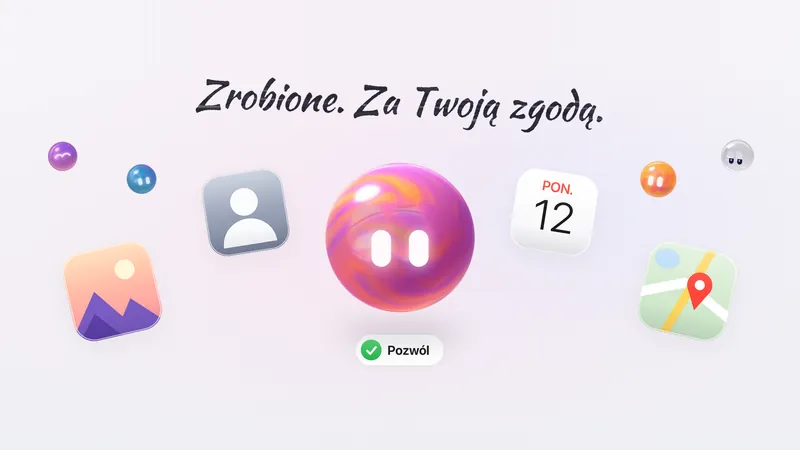
The agent works on contacts, calendar, photos, files and Maps, always with your consent. Every step live, with Undo, Share, Live Activity and Shortcuts.
Read postThe agent works on contacts, calendar, photos, files and Maps, always with your consent. Every step live, with Undo, Share, Live Activity and Shortcuts.
All 12 builder screens in order: name, orb, character, style, brain, helpers, skills, accounts and autonomy. Plan locks and editing.

Claude Sonnet 5.5, Opus 5.5, GPT-5.6 Terra, GPT-6 Luna or Grok 4.7? What each agent brain is for, from which plan, and what a simple message costs.

Status and timer while it works, “Worked for 18 s · 2 actions” after the reply, and the Process sheet with the input and result of every tool, the team and subagents.

Lopus Pro works on its own for up to 24 hours, even after the app is closed. How to start a task, answer the agent's questions and set a budget depending on the plan.

A clone, a subagent with a role, or a team with a shared task board? How the agent splits the work, how many helpers each plan gives, where you see it and when it does not pay off.

Lopus is faster and cheaper, Lopus Pro has the strongest model, agent teams and background tasks. Comparison, switching and billing by usage.

Ready-made mixes, your own colors with percentage shares, eyes and transparency of the orb. Where the orb appears in the conversation and what happens with reduced motion.
Four tones, extra instructions up to 2,000 characters and five style traits that, from October 8, are binding for the agent. With examples and suggestions under the reply.

Welcome card, separate consents that are off by default, health data (Article 9 GDPR), labeling of AI content, a statement at purchase, data export and deletion.

More than 30 services to connect: Notion, Slack, Outlook, Linear, Asana, HubSpot and Fakturownia. How to connect them, what the agent will do and when it asks for consent.

A recipe with portion scaling, a venue with a route, an email, a spreadsheet, a site, a mail review and a background task. Twelve prompts that save time every day.

All of DomaAI in one place: conversation, files, images, Computer mode, agents, connectors and plans. Where to start and where to find details.

You install the app or go to domaai.pl/czat, create an account with email, Apple or Google, and send your first prompt. Step by step.

One account and shared history, but not everything is everywhere. A comparison of the iPhone and iPad apps with domaai.pl/czat: features, purchases and languages.

The “What are we doing today?” field, Lopus Pro or a single model, clarifying questions, thinking trace and answer cards. How to write prompts and keep an eye on cost.

How DomaAI searches the internet, reads the pages you give it and clicks in a real browser. Sources, costs, limits and consent for irreversible steps.

How to add a file to a conversation, what DomaAI reads, how it handles a scan and what it costs. Formats, limits and prompts for contracts, invoices and tables.

How to ask DomaAI for a Word document, Excel spreadsheet, presentation or PDF report, improve a ready file and fill in a form. Prompts and limits.

You create an image from a description, improve a photo with a sentence in Polish and turn it into a short clip. Where it is, what it costs and from which plan.

How DomaAI remembers facts about you, how to set standing guidelines and collect instruction files in a project. Plus incognito for when nothing should stay.

Where to find conversations, images, videos and files, how to pin an important chat, invite someone to a conversation with AI via @ai and share a conversation with a link.

The app calendar, the iPhone calendar and Google Calendar: which one for what. How to add a meeting, set a reminder and get a day plan from an agent.

Computer builds sites, writes and runs programs, analyzes files and works in the background. How to turn it on, what you see while it works, how to undo changes and take the code with you.

Computer builds the site, and you decide when it goes live. Address name.domaai.pl, hosting from 5 credits, your own domain and undoing changes.

You connect your own site with the domaai serve bridge and change texts, sections and SEO by a sentence or in the panel. Installation, plans, 12 tabs and change history.

An agent is a worker for one thing: role, instructions, permissions and a credit limit. How to set one up in a conversation, from a template or from scratch, and test it.

Mail review, industry press review, competitor review, pull requests and more. What each template does, when it starts, what it needs and what it costs.

How to set what the agent does on its own, what it asks about, and what it may never do. The approvals inbox, Face ID, approvals via WhatsApp with a code, and stopping tasks.

A webhook task starts when a POST with JSON arrives at its address, e.g. from a form. How to set it up, secure it and how many calls each plan gives.

How to connect Google, GitHub and your own WhatsApp number, what the assistant can do with them, when it asks for consent and how to disconnect access. With ready prompts.

A bot with your instructions answers customers on the DomaAI number. How to create it, share it with a link and QR code, hand the conversation to a human and count costs.

How credits work, what things cost, the order in which they are used up, where to check history and how to pay less. With conversion to PLN.

A comparison of DomaAI plans: prices, credits, daily limits, models, Computer, video and agents. A simple cheat sheet for which plan fits your work.

Where to buy a plan and credits, how to get a VAT invoice for a company, how the App Store differs from the website, how to change or cancel a plan and what happens to credits.

How to turn on two-step verification and Face ID, manage trusted devices, download a data export, freeze or delete the account and where your data is.

Product photos, replies to complaints, a margin report from Excel, a WhatsApp bot for customers and an enquiry agent. Ready prompts for e-commerce.

Invoice data to Excel, OCR of scans, merging PDFs, letters, mail review and reminders about receivables. Specific prompts and precautions.

Graphics and short video from a description, a morning industry press review, a weekly competitor review, a market report and a landing page. Prompts for marketers.

Inbox review, a brief before meetings, reply drafts, comparing offers in PDF and lead follow-ups from WhatsApp. A salesperson's day with prompts.

Briefly, in Polish: credits and pools, Lopus Pro, scenarios, leads, workers, Computer, machine, artifact, connector, agent, task, consent and webhook.

How a Multi-Agent system in artificial intelligence works: a team of agents working in parallel vs one model. We explain it in Polish, with examples.

A comparison of DomaAI and ChatGPT: 88 models from five providers instead of one, Multi-Agent, native Polish, video and image generation. Concrete differences, no fluff.

A practical guide to generating AI video and images in DomaAI: Veo 3.1, Sora 2, Grok Imagine and Nano Banana. How to write prompts and what it costs.

A guide to choosing an AI model: when GPT, when Claude, when Gemini. How to match a model to text, code, analysis and creativity in DomaAI.

What Deep Research in AI is: how an assistant searches many sources and assembles a structured report. Uses, cost and limits in DomaAI.

How to introduce AI in a company: from a pilot, through choosing uses, to data security. A practical guide for teams and departments.

How voice mode in AI works: a live conversation in Polish, without waiting for a transcript. Uses in the car, on a walk and at work.

How to use AI for learning: summaries, flashcards, explaining hard topics and exam prep. Practical techniques in Polish.

How to write emails and texts with AI help: templates, tone, shortening and replies. Practical tips in Polish.
Privacy and security in AI tools: whether conversations train models, the no-training policy, what data to enter. A guide in Polish.
Sign-up is on the download page. We write once every few weeks, no spam, and you can unsubscribe with one click.
Free account, no card. The same account on iPhone, iPad and in the browser.